
03Core
Trial Balance to Form 1065
TIERS automates the propagation of tax trial balances into Forms 1065 using automated account classification, mapping, and reconciliation. It carries forward prior-year mappings when available, maps balance sheet accounts to Schedule L, routes income statement accounts to Page 1, Schedule K, M-1, and M-2 through Value Mapping Names, and lets users trace every form line back to the trial balance accounts and adjustments that created it.
How it runs
Users upload current-year trial balance data into TIERS. The system compares these data points with prior-year trial balance and Form 1065 information, classifies each account as balance sheet or income statement, applies carried-forward mappings by account number when available, then uses Value Mapping Names to route values to Schedule L, Page 1, Schedule K, M-1, and M-2. The mapping agent combines user-provided mappings, chart-of-account range detection, fuzzy matching, agentic inference, and reconciliation checks for known targets. Users stay in control, review suggested M-1 adjustments and Schedule B answers, edit results, and trace each form line to source accounts.
What it transforms
Manual trial balance mapping workpapers and disconnected reconciliation spreadsheets become a guided, traceable mapping workflow. Teams start from prior-year knowledge, focus review on exceptions and judgment calls, and reduce the risk that a form line, M-1 adjustment, or Schedule B answer is disconnected from its source account data.
Walkthrough
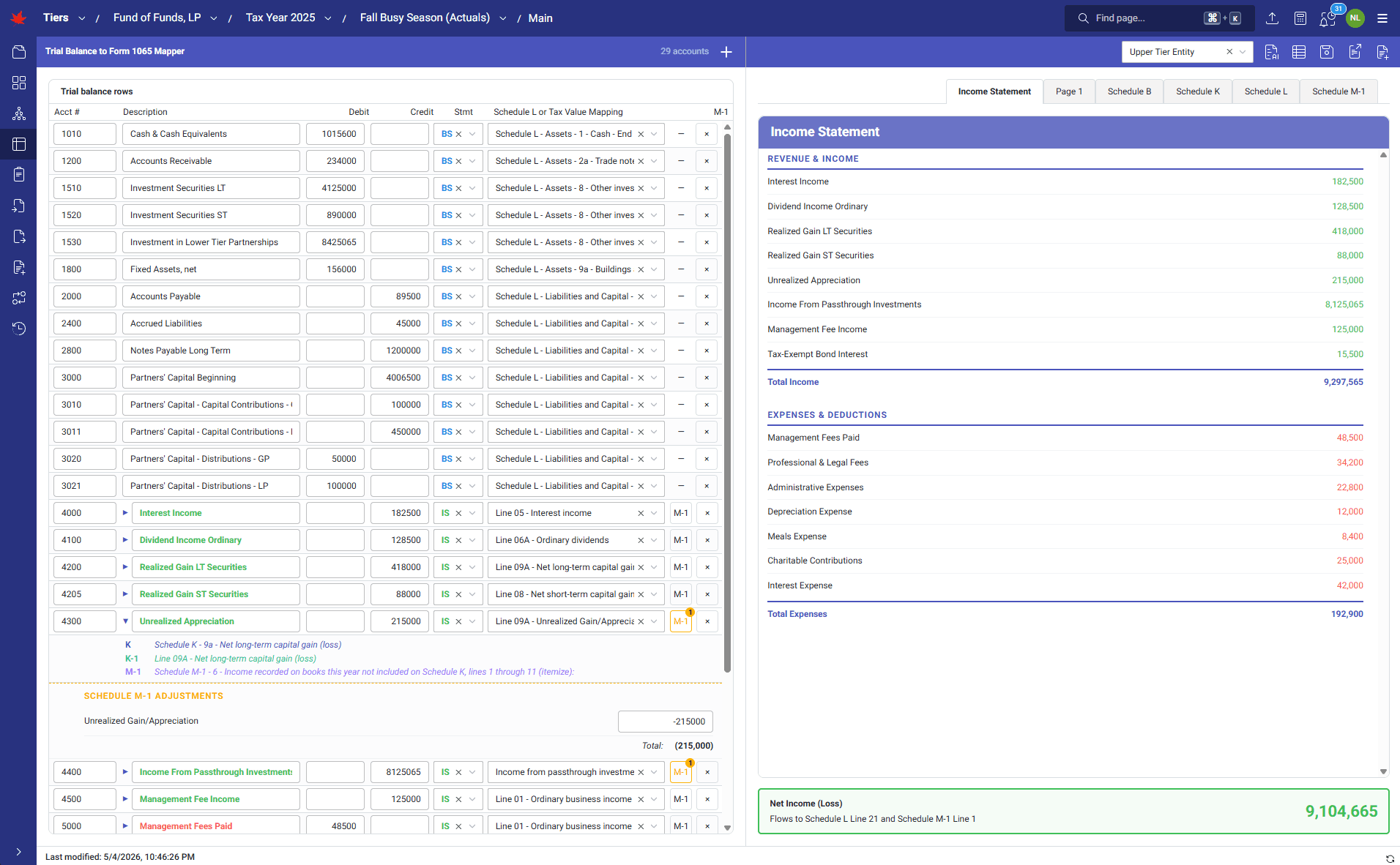
1 of 14 · CORE
Click to zoom. Scroll freely — pinch or Ctrl+scroll to zoom further. Drag when zoomed.
Next step
See TIERS with your data
Request a guided product briefing.