
04Core
Multi-User Branching & Merging
TIERS provides a branching and merging workflow so that multiple users can work on the same partnership tax project without blocking or clobbering each other. A user can snapshot the current project state into an isolated branch, make edits, upload data, run calculations, and merge validated work back to the main dataset when ready.
How it runs
Users create a branch from a snapshot of the current project data. The branch is isolated, so they can add, edit, delete, upload, and calculate without locking the main dataset or interrupting other preparers. Before merging, TIERS lets the user rebase their changes onto the main dataset's current state, review and reconcile conflicts, and validate their calculation results.
What it transforms
Serial busy-season workflows, file locks, and bad-edit bottlenecks become a safe parallel work model. Teams can stage uploads and calculations independently, reduce blocking risk, protect the shared dataset, and keep preparers moving across large engagements.
Walkthrough
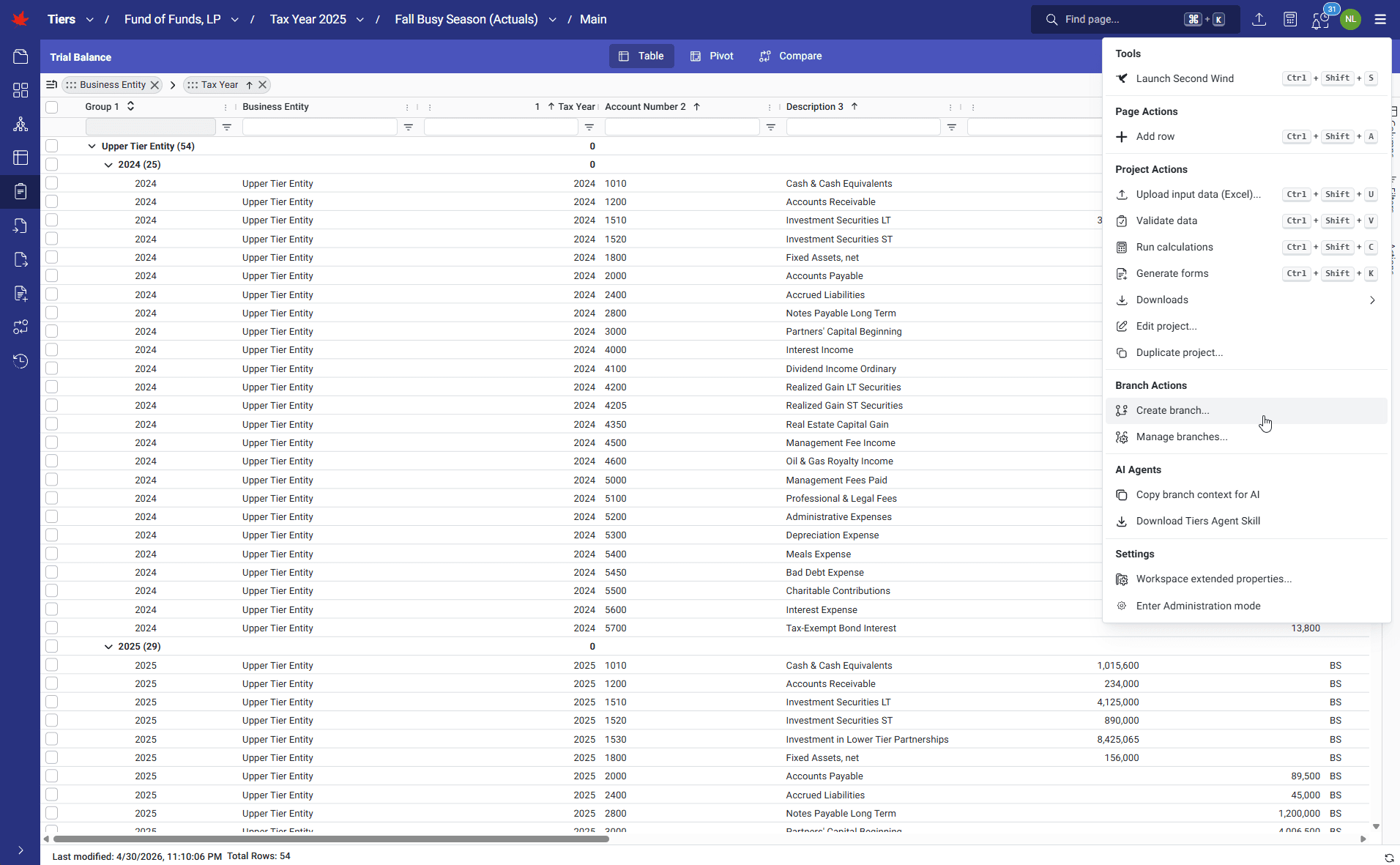
1 of 4 · CORE
Click to zoom. Scroll freely — pinch or Ctrl+scroll to zoom further. Drag when zoomed.
Next step
See TIERS with your data
Request a guided product briefing.